
Five new metrics for your ski turns
Hands forward, Stance width, Turn rhythm, G-force, and Angulation are now in your results. Explore them under Ski Elements, compare your turns, and replay the movement behind each measurement.
Changes
What shipped
- feature
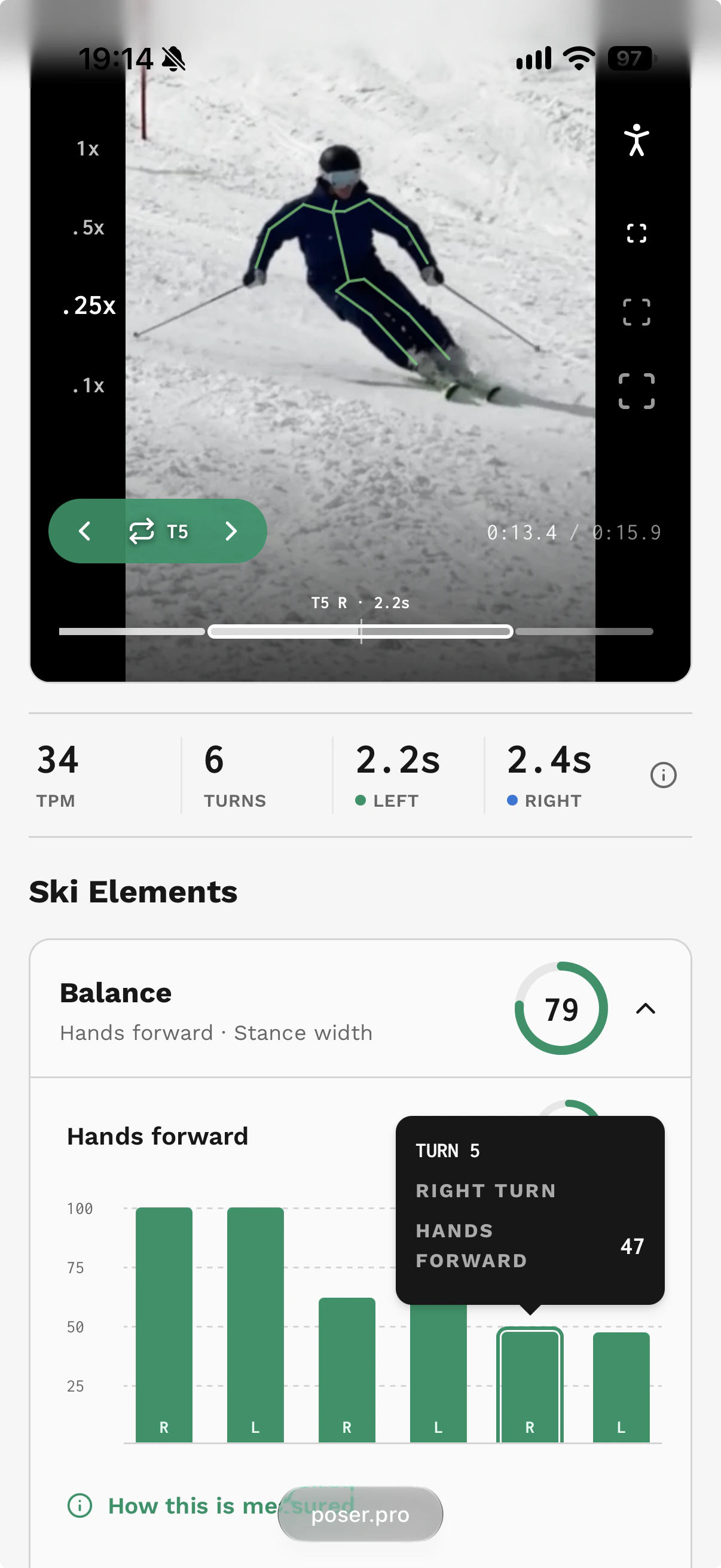
Hands forward · Balance. Tracks how consistently both hands stay ahead of your hips through each turn. Compare turns to see where your hands drop back.
- feature
Stance width · Balance. Compares the sideways spacing of your feet with your hip width. It separates stance width from one foot being farther forward, so you can spot changes in your stance across turns.
- feature
Turn rhythm · Steering. Compares the duration of your complete turns to show how consistent your timing is. Individual turn bars show seconds, making it easier to see whether one direction is quicker than the other.
- feature
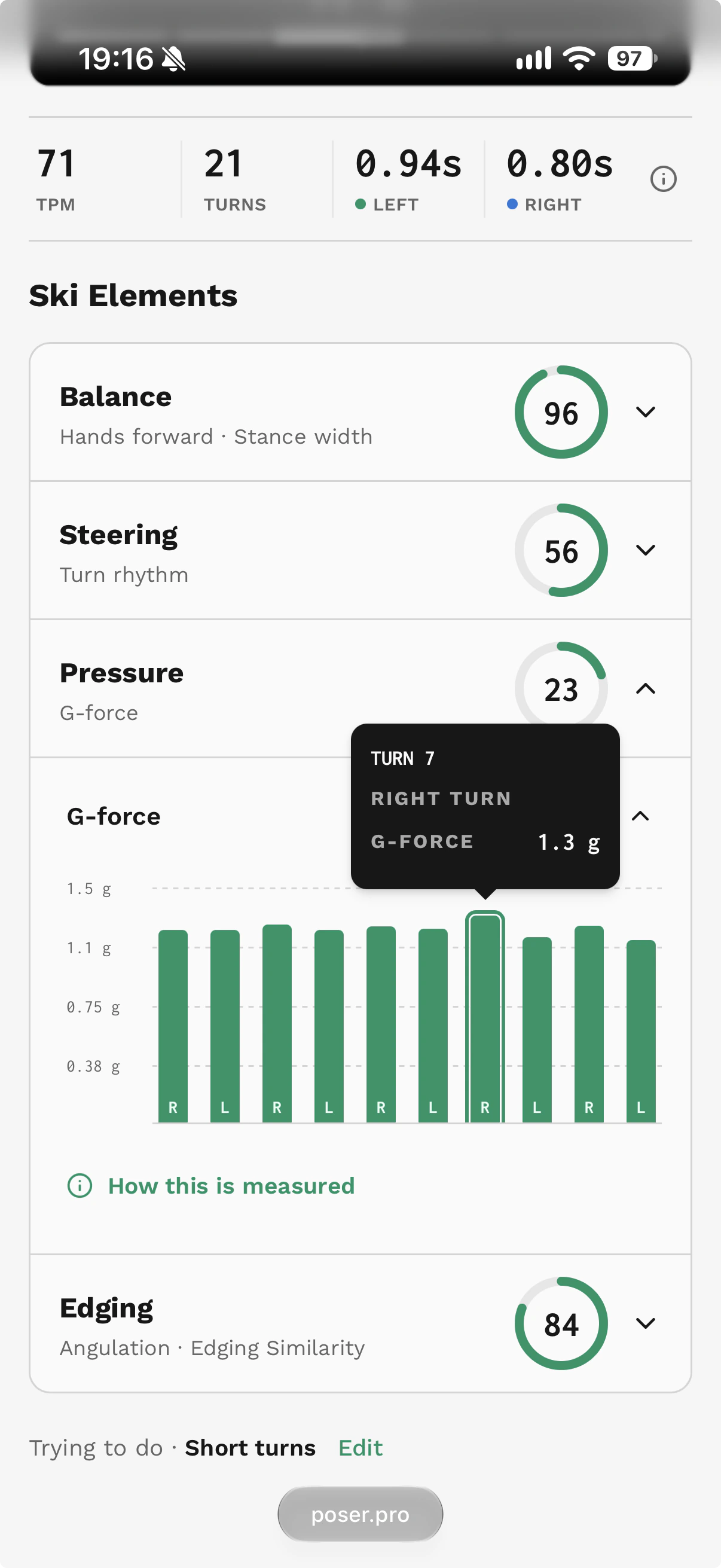
G-force · Pressure. Calculates loading during turn shaping from your 3D pose, in body weights: 1.0 g represents one body weight, 2.0 g represents two. Measured using center of mass inclination from vertical.
- feature
Angulation · Edging. Looks at sideways separation between your torso and lower body. It accounts for leg flexion, so crouching alone does not increase the angle.
- improvement
A clearer results screen. Metrics are grouped into four Ski Elements: Balance, Steering, Pressure, and Edging. Expand an element, open a metric, and use the horizontal turn bars to connect the numbers to your replay.
Why it matters
From a measurement to the turn behind it
A clip score is a starting point. The useful question is what happened in a particular turn: did your hands fall behind, did your stance change, or was one direction more rushed? The new metrics give you specific things to inspect in the video.
Start with Ski Elements below the player. Open Balance, Steering, Pressure, or Edging, then choose a metric. The turn bars let you compare the clip at a glance. Hands forward, Stance width, and Angulation show turn scores; Turn rhythm shows duration in seconds; G-force shows the loading in g.
Select a measured turn bar to jump to the start of that turn and loop it at 0.25× speed. The selected turn is outlined in the player timeline, with its turn number and direction visible. Switch on the skeleton overlay to follow the body movement, then select another bar to compare it.
Use the measurements together with the skiing you see. An even rhythm may suit a series of similar turns, while a deliberate change in turn size changes the timing. Stance width should adapt to the turn, and more G-force is not automatically better technique. Look for patterns across comparable turns and between left and right.
Each metric includes a How this is measured explanation in the results. For more background, read about Hands forward, Stance width, Turn rhythm, G-force, and Angulation.