
Revamped clips list and clip details
The clips workspace is now easier to scan, organize, and review from list view through replay detail.
Changes
What shipped
- feature
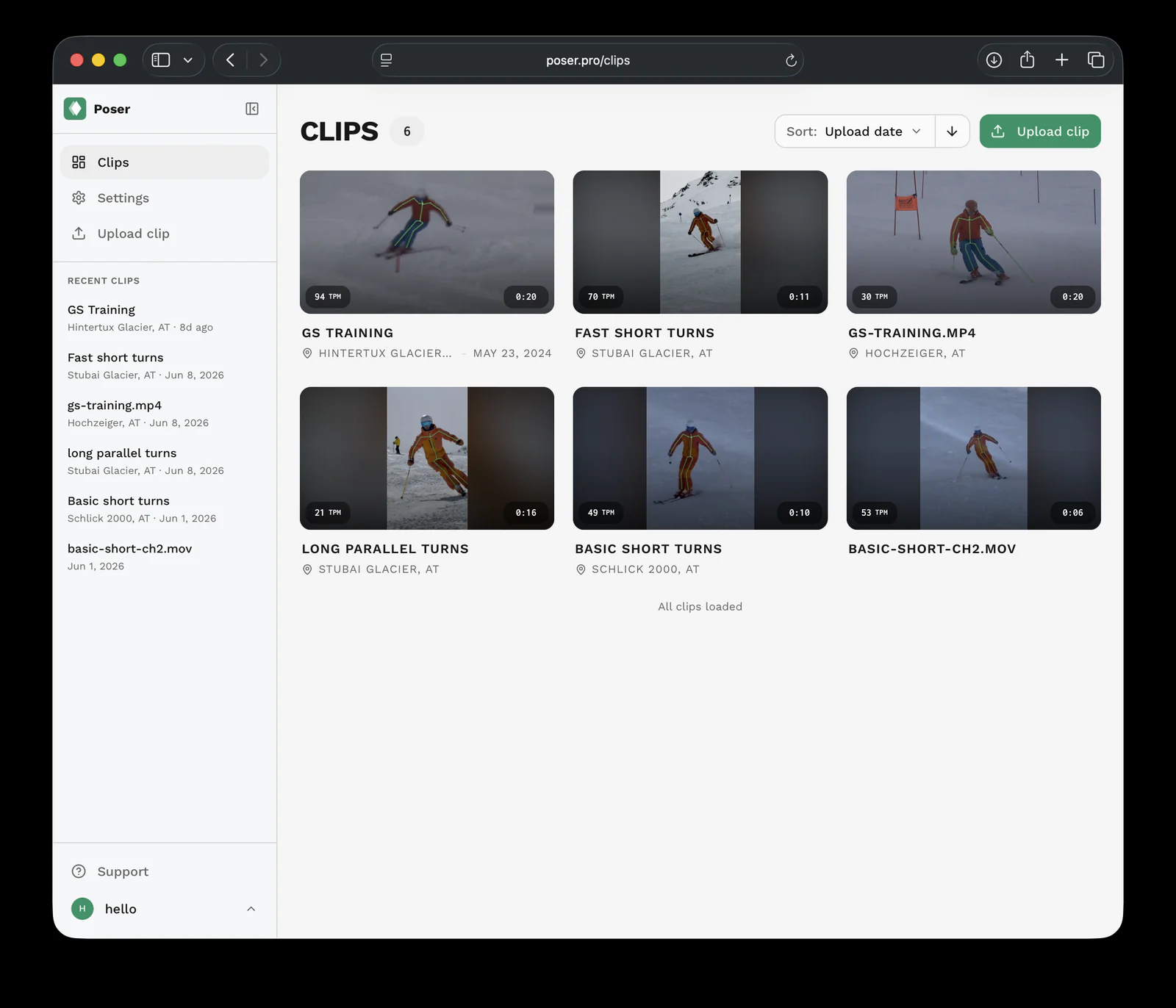
Rebuilt the clips list around larger video-first clip cards and compact scanning rows.
- feature
Added inline editing for clip titles, ski dates, and locations.
- improvement
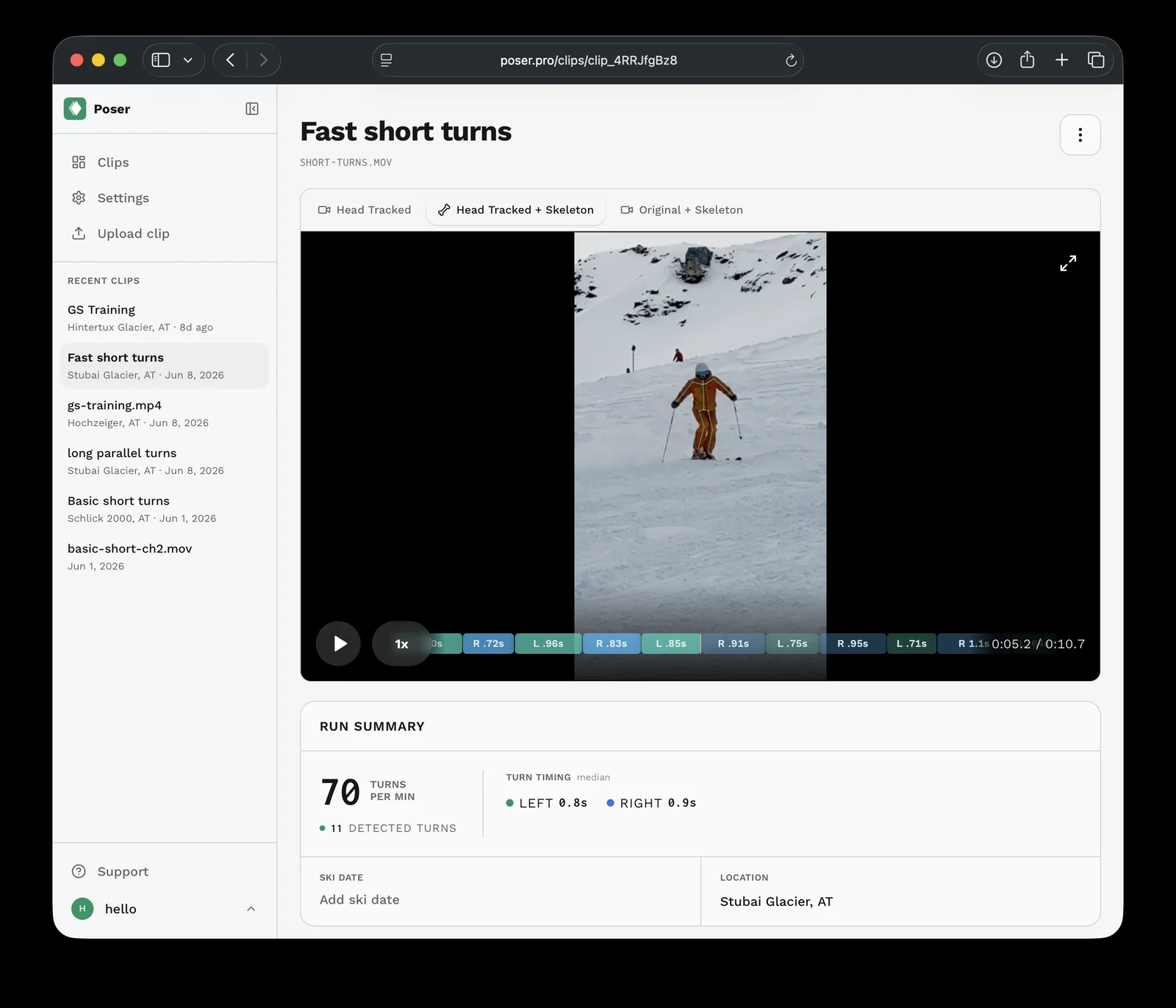
Refocused clip detail pages around replay, a run summary, and a compact actions menu.
- improvement
Polished mobile metadata layout, processing copy, retry states, and total clip count.
Screenshots
Why it matters
A cleaner workspace for reviewing ski clips
The clips list now puts each uploaded run on a more visual, video-first surface. Larger thumbnails, clearer processing states, total clip count, and sortable views make it faster to find the run you want to review.
Clip detail pages now stay focused on the replay. Titles, ski dates, and locations can be edited inline, common actions moved into a compact menu, and the run summary brings turn count, timing, and location context closer to the video.