
Good Poser analysis starts before the upload. If you can clearly see the skier’s body in the video, Poser has a much better chance of reading the skier’s stance, movement, and turn pattern.
The goal is not a highlight reel. The goal is clean measurement input: a short clip where the skier is big enough, bright enough, and visible for enough turns that the movement pattern is obvious.
Ski towards camera
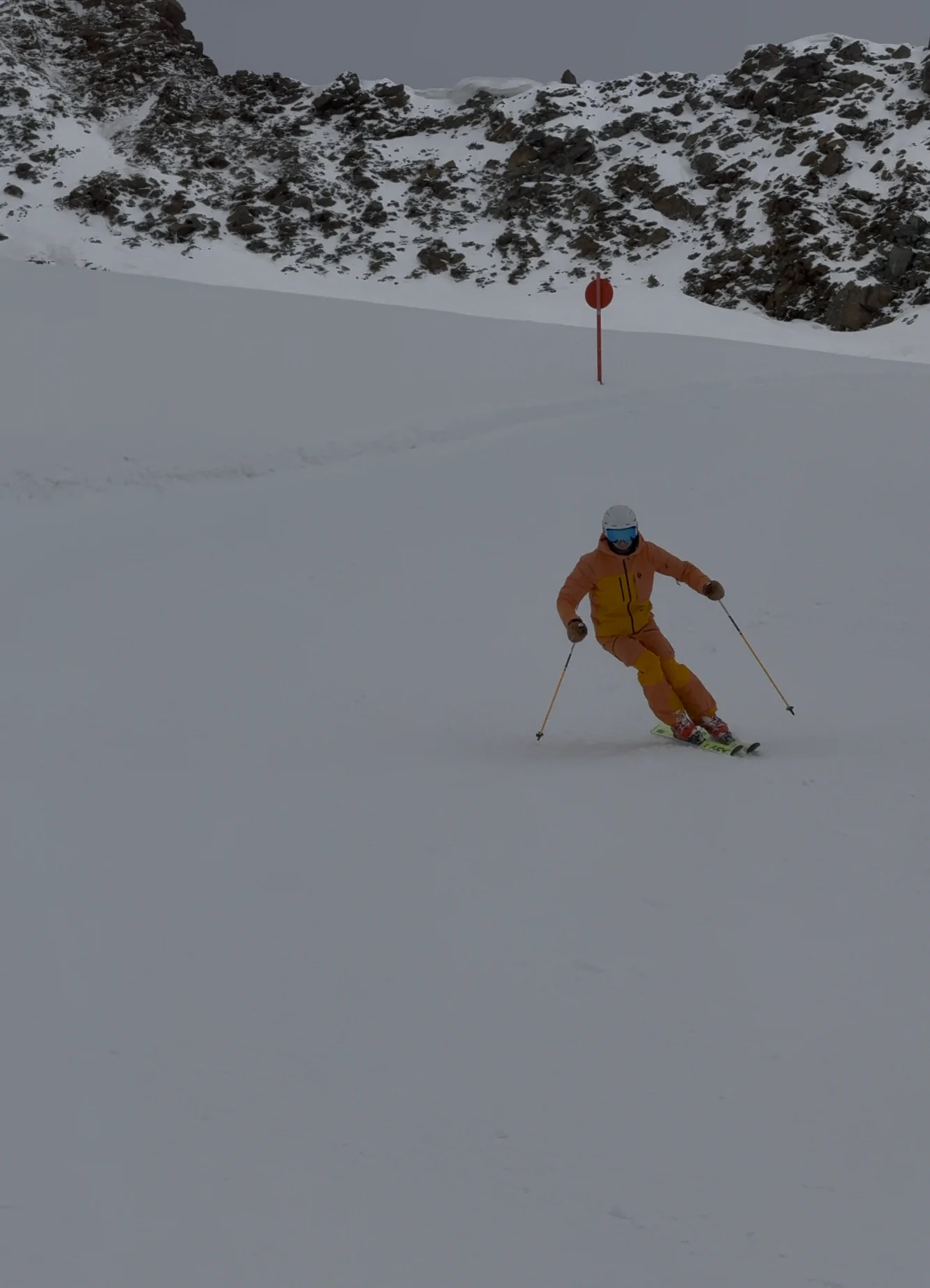
Ask the person filming to stand still below you so that you ski down towards the camera. Usually, the technique is clearest when the skier is skiing towards the camera: the upper body, hands, legs, boots, and skis are visible at the same time.
Keep skiing past the person filming and make a few more turns away from the camera too. Side and rear views can reveal useful details, but front view is the best first priority. Help the person filming by passing about 5-10 m away from the camera so the close pass is not rushed.
The person filming should start zoomed in on the skier, slowly zoom out as the skier approaches, and then zoom in again after the skier passes. The goal is to make the skier take up a big portion of the frame without cutting off limbs or losing the skier.
Use zoom, make the skier big
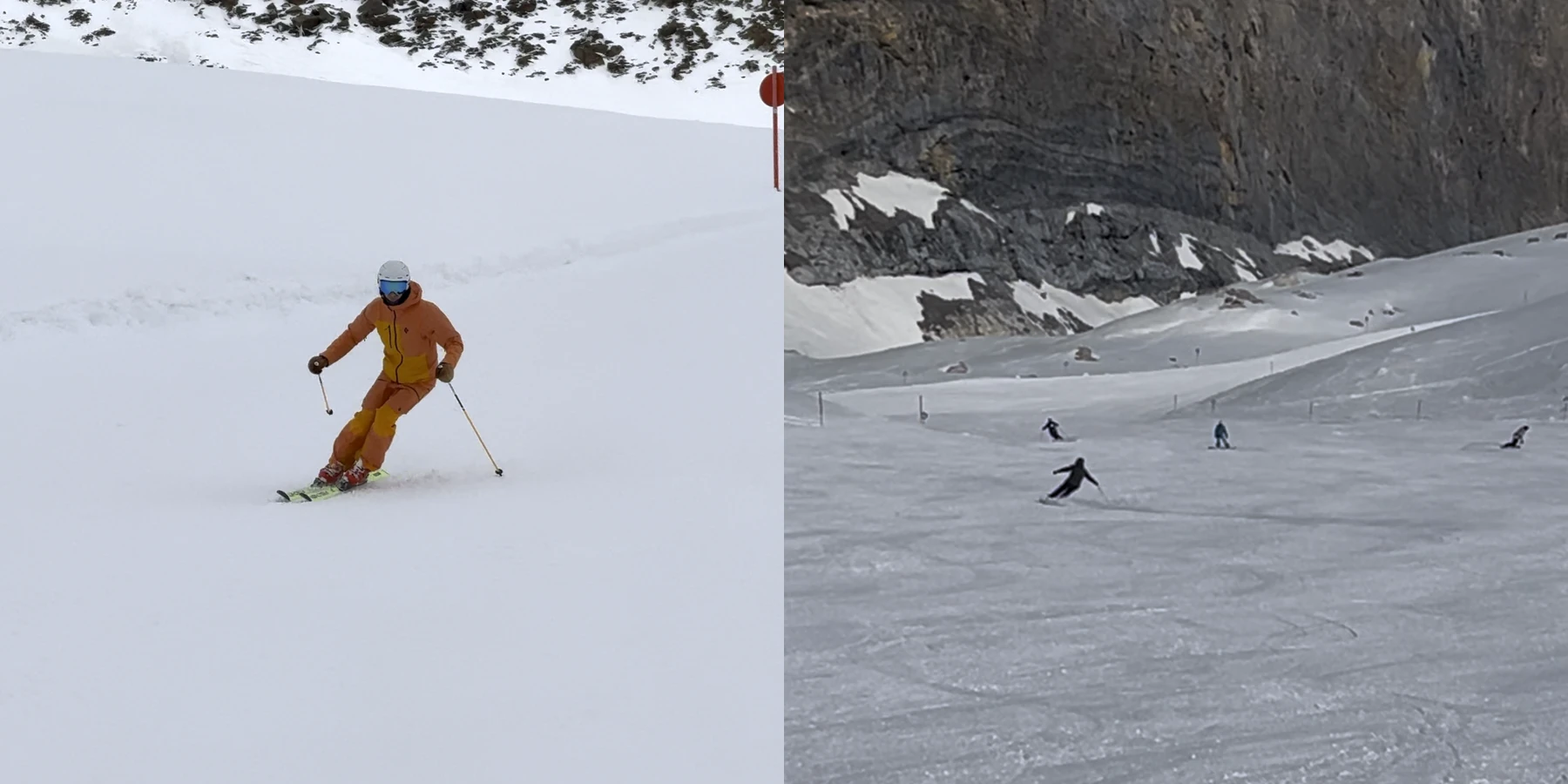
The skier should take up a lot of space in the video. If they look like a small distant shape, important stance details disappear before Poser ever sees the clip.
Use optical zoom if your phone or camera has it. Digital zoom is also fine when the alternative is a tiny skier. The practical test is simple: on your phone screen, you should be able to see the skier’s upper body, legs, boots, and skis without guessing.
Do not zoom so far that the skier keeps leaving the frame. A slightly wider, steady clip is better than a shaky close-up where the skis or head are cut off. But in most bad clips, the problem is the opposite: the camera is too far away.
Good light and contours of the skier
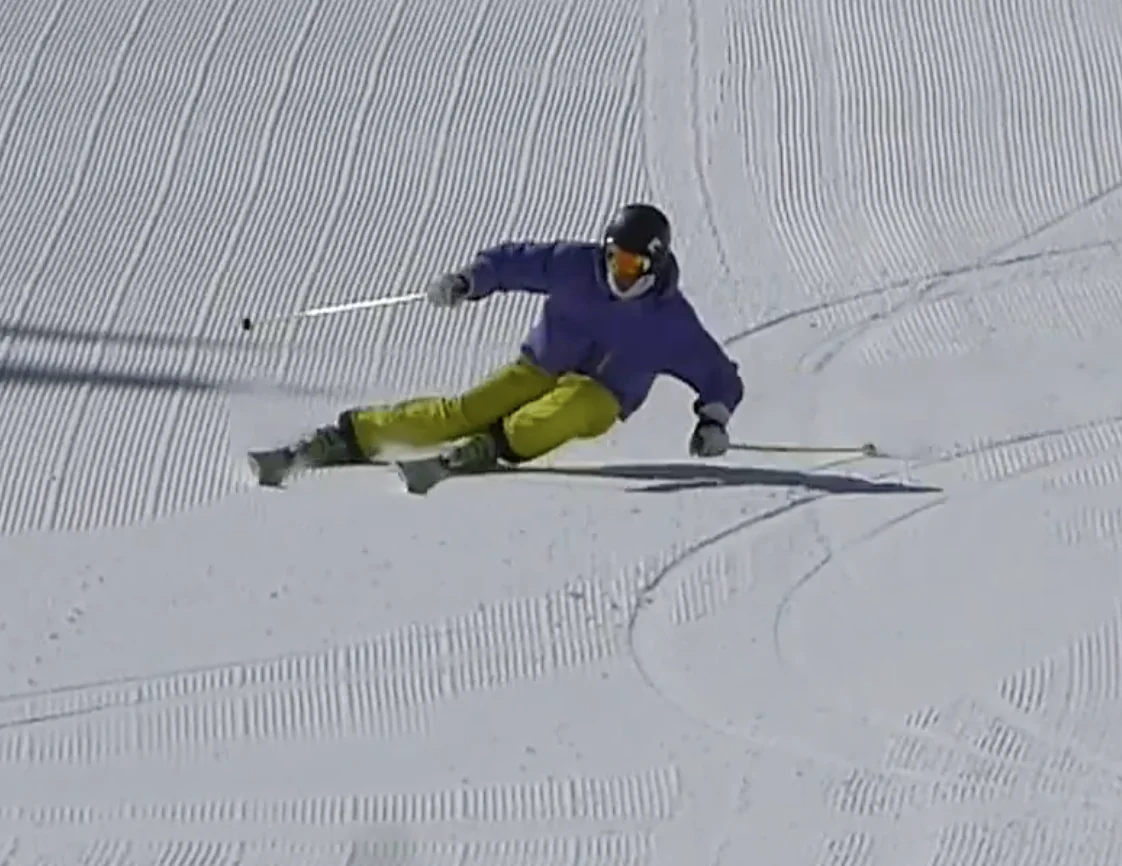
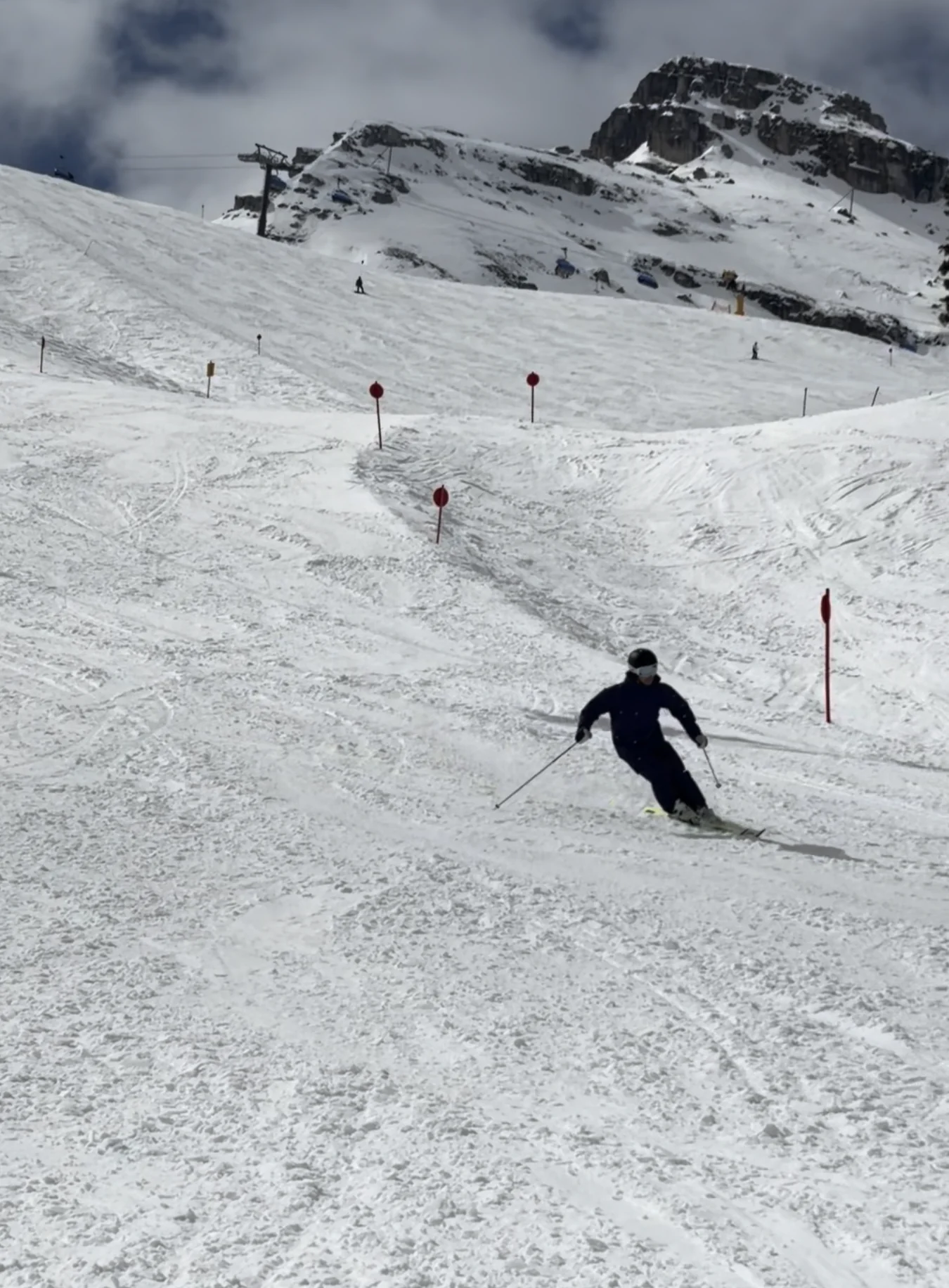
Poser needs to separate the skier from the background. That is much easier when light comes from behind the camera or from the side, and when the skier’s body contours are visible.
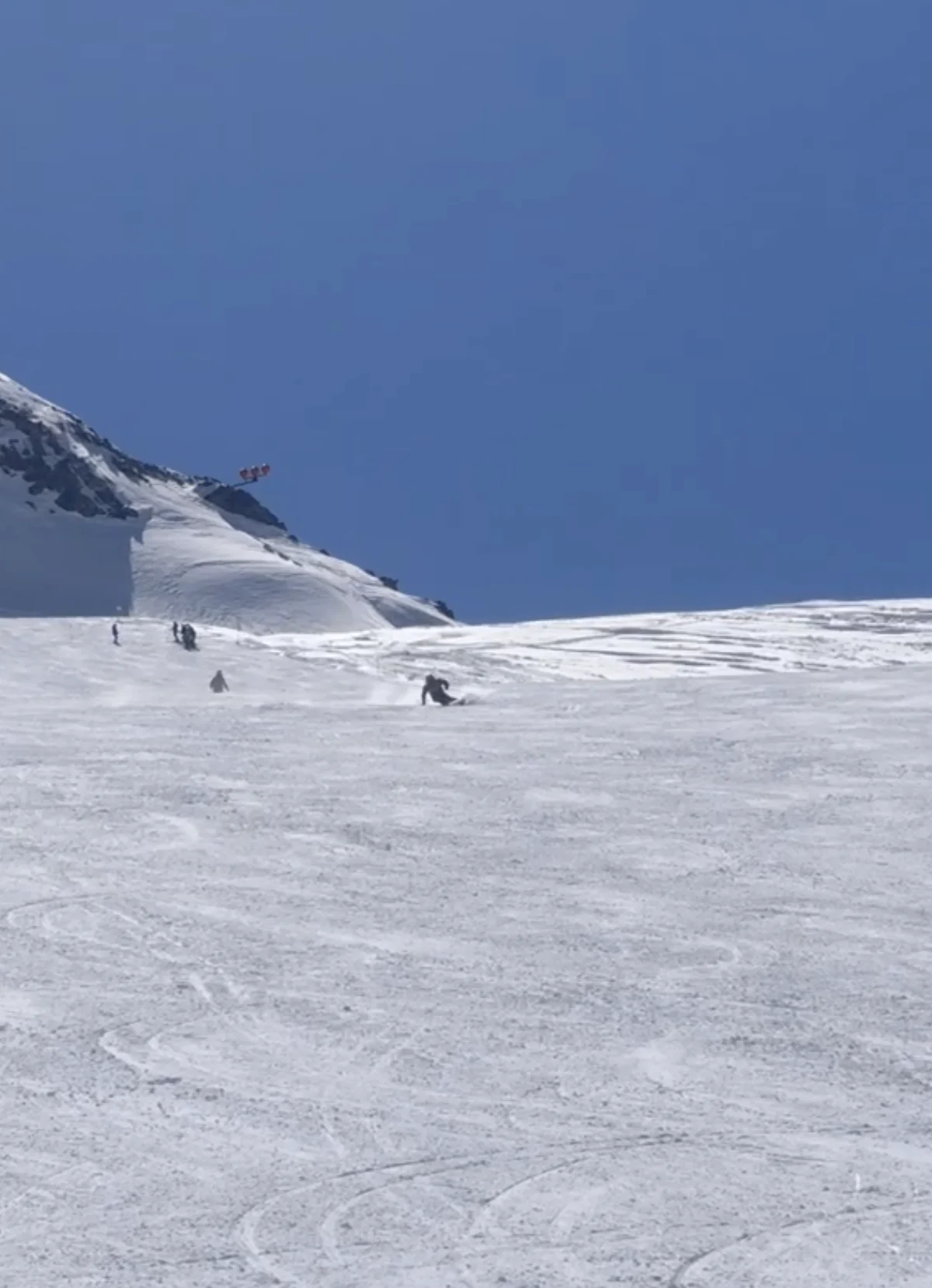
Avoid filming straight into the sun. Backlit footage can turn the skier into a dark silhouette, especially with dark clothes. Snow is bright, and cameras often expose for the snow instead of the person, which can wash out the skier’s body shape.
Good contrast matters more than dramatic scenery. A plain slope with clear light is usually better than a beautiful shot where the skier blends into trees, shadows, snow spray, or other people.
Film enough turns to be representative
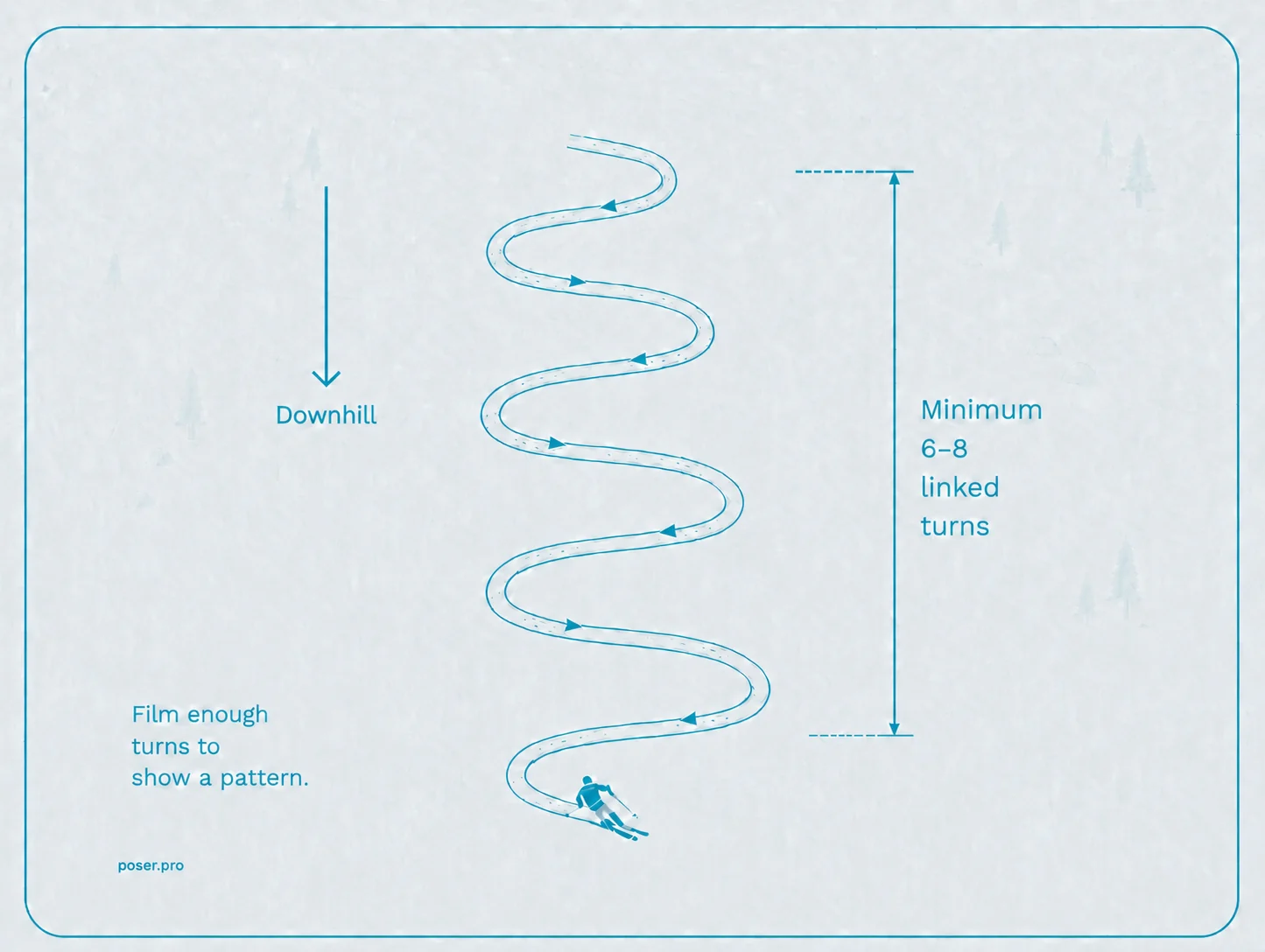
One turn can be misleading. A useful clip shows a repeated movement pattern, ideally at least 6 to 8 linked turns. Poser analyzes up to 20 seconds, so you do not need to upload a full run.
Start filming before the skier enters the useful part of the frame. Keep filming until a turn or two after the section you care about. Then trim the clip to the best 8 to 20 seconds before upload.
A good clip should show the pattern, not just the best moment.
Poser filming guidance
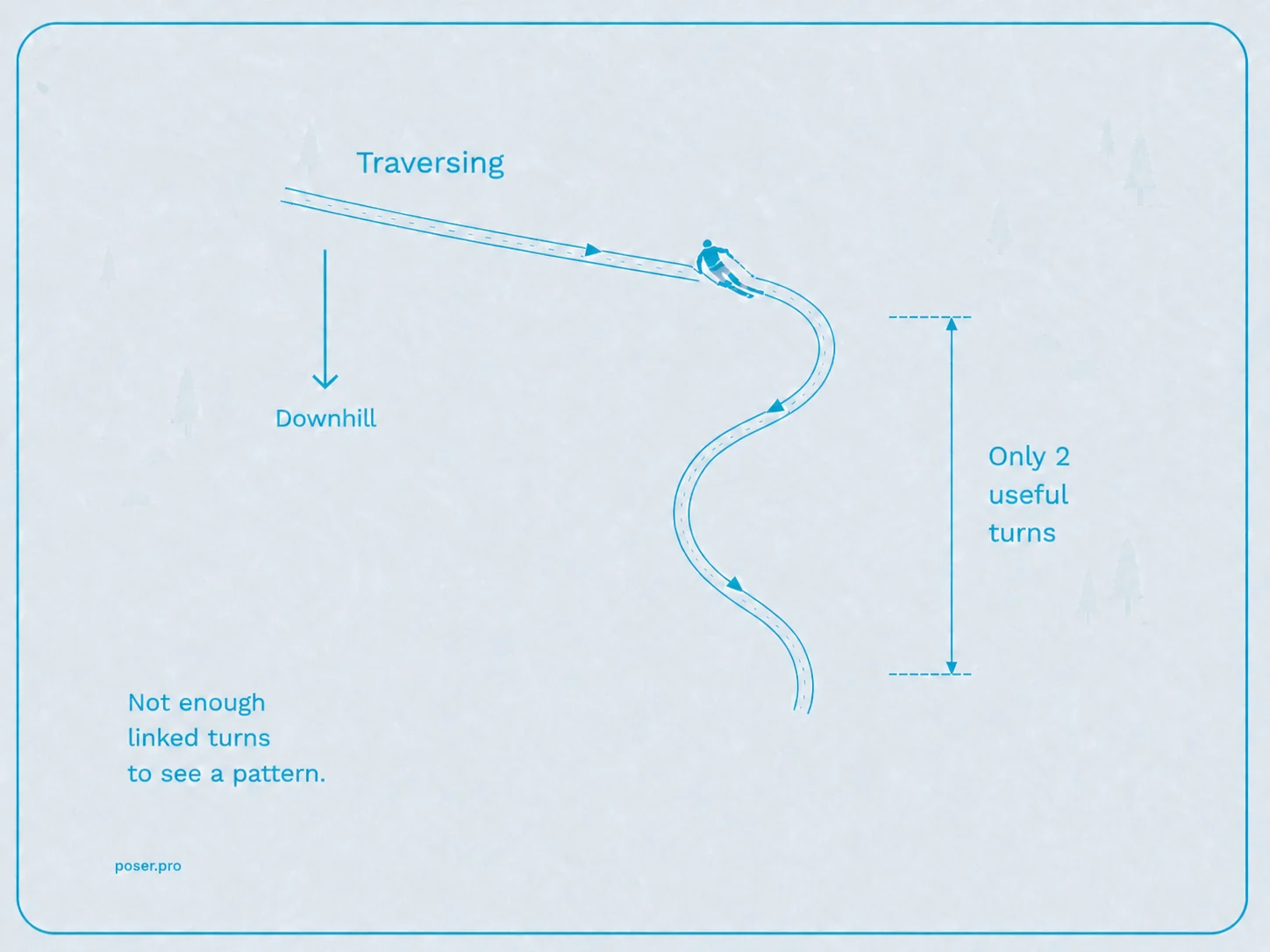
If the skier traverses for ten seconds, stops, or only makes one or two turns, there may not be enough repeated movement to analyze. The same applies if the clip changes angle halfway through or cuts between different turns.
60 FPS is better than 30 FPS
Higher frame rate gives Poser more motion data. If your phone supports 60 frames per second, use it. Some phones call this action mode, sports mode, or high frame rate video.
30 FPS will still work, especially when the skier is clearly visible. But skiing has fast transitions, quick edge changes, and short moments where body position changes a lot. More frames make those moments easier to read.
Do not use slow motion as the uploaded clip. Record at 60 FPS if available, then upload the normal-speed video. Avoid heavy editing, speed ramps, filters, and overlays.
Use HD video, but not UHD/4K
HD or Full HD is better than lower-resolution video clips. Most modern smartphones record in HD by default. Recording in UHD or 4K sounds better, but it is not the main thing Poser needs. A zoomed-in HD clip with clear skier contours is more useful than a wide 4K clip where the skier is tiny.
The priority order is:
- 1Ski towards cameraHave the skier ski towards the camera before passing by.
- 2Make the skier large in frameZoom in enough that the body, legs, boots, and skis are visible.
- 3Clear contours of the skierAvoid silhouettes where clothing and body parts look flat and washed out.
- 4Capture enough turnsAim for a minimum of 6-8 turns, up to about 20 seconds.
- 5Use 60 FPS when availableMore frames help with fast movement.
- 6Use HD or Full HDResolution helps, but zooming matters more.
Common mistakes to avoid
- The skier is too far away.
- The skier is backlit and appears as a silhouette.
- The clip only shows one or two turns.
- The camera cuts off the skis, hands, or head.
- The skier is hidden behind a roller or partly by snow spray.
- The video is exported in slow motion or edited with overlays.
- The clip is much longer than the useful skiing section.
None of these make analysis impossible every time, but they reduce the chance of getting useful feedback.
What Poser can read better from clear footage
Clear footage helps Poser produce more reliable visual feedback such as head-tracked replays, skeleton overlays, turn structure, and technique metrics. It also helps you spot patterns with your own eyes: where turns start, where pressure builds, whether the body moves with the skis, and whether the same issue repeats from turn to turn.
Poser is a video analysis tool, not a replacement for a coach. A better clip does not guarantee a perfect answer, but it gives the system and the human reviewing it better information.
FAQ
Should I use a phone or action camera?
Either can work. A phone is often better if it gives a steadier, less distorted view. An action camera can work well when mounted or held steadily, but very wide lenses can make the skier look small unless the camera is close enough.
Is vertical or horizontal better?
Either will work, but make sure the skier takes up a big part of the frame.
Should I record in 4K?
Not usually. HD or Full HD is enough for most Poser clips. Spend your effort on zooming in, lighting the skier clearly, and capturing enough turns.
Should I trim the clip first?
No. You do not need to use editing tools before coming to Poser. Pick the original video clip, upload it, and Poser will ask you to choose the best representative 20 seconds as part of the upload flow. Poser trims the clip for you.
Can I upload a racing clip, park clip, or powder clip?
Poser is made for improving your ski technique on the slope, so racing clips will work well, but Poser isn’t yet built for park and powder video clips.
Ready to try it?
Upload a short ski clip with several clear turns and Poser will turn it into visual ski analysis.
Upload my clip